

AI can now hand you a working website—or even a web app—in hours, no engineering background required. Yet products built without a grasp of their architecture or control over the infrastructure they depend on tend to hit a ceiling fast. They are hard to scale, expensive to maintain, or even both.
Scroll down to get a clear view of the modern toolchain, from no-code platforms to AI-assisted coding; the frameworks worth your time; how to structure an effective dev team; and what to look for when hiring for web-development in an AI-augmented market—including a marketplace for vetted web developers such as Lemon.io.
What Is Web Development in 2026?
“Web development” is a term from an era when Web 1.0 and 2.0 were the dominant paradigms, and there was a clean distinction between web and mobile. That distinction has mostly collapsed—today, the term is used in at least three different ways, depending on who’s talking.
For the purposes of this article, we use “web development” to describe software development that involves browser-based interfaces:
Website development—primarily informational webpages, with limited interactivity. This category includes:
- Blogs and content sites (example: Medium, Substack, a company’s editorial hub, online magazines);
- Landing pages (single-page marketing and validation tools—think pre-launch pages, product pages, campaign microsites);
- Brochure or portfolio sites (service business websites, agency portfolios).
Web application development—software products that run in the browser but behave more like applications than documents. This category includes:
- SaaS products (example: Notion, Figma, Airtable—tools users log into and work inside, with broad functionality);
- E-commerce platforms (Shopify stores, custom marketplaces);
- Dashboards and internal tools (analytics interfaces, CRM systems, admin panels, search engines).
What we are not covering in this article using the “web development” term: IoT firmware, embedded systems, AR/VR experiences where the interface is peripheral or nonexistent, or native mobile app development (though the lines blur constantly with React Native and Progressive Web Apps).
The reason this distinction matters: the tooling, the team structure, and the hiring decisions are very different depending on which of these you’re building. A landing page and a SaaS product are not the same project, just dressed differently.
Web Development Process in the AI Era. Everyone Can Build—Few Can Future-Vision
The “AI killed web dev” narrative confuses automation of tasks with the elimination of the discipline. Yes, AI tools can now generate functional React components, write boilerplate backend logic, produce test suites, and draft documentation.
What AI can’t do is database organization (it lacks your business context) and a pixel-perfect, unique front-end that will drive user engagement, exactly knowing what your audience craves.
So what actually happened—AI lowered the floor and raised the ceiling for web development simultaneously. Anyone can ship something that works—a landing page, a basic web app, or a working minimum viable product SaaS prototype—with far less technical knowledge than before. However, the bar for what’s competitive and brings user engagement has risen just as fast. Users expect:
- Faster load times;
- Better UX and top-level usability;
- Tighter security;
- More reliability than years ago;
- Faster updates focused on users’ changing needs.
The gap between “something that works” and “something that scales and retains users” is now where the senior AI engineering work lives.
The 29.1% startup failure rate in the first year (U.S. Bureau of Labor Statistics) is real, and it hasn’t improved much with AI advancements. And this failure is mostly caused by building the wrong thing, moving too slowly, or building something nobody wants.
AI-handled tasks—safe sone 🟢 |
Grey zone ⚠️ |
Human-required tasks 🤓 |
|---|---|---|
Landing pages & simple UIs |
Full frontend architecture (React/Vue apps) |
For React / Vue.js, state management, and performance optimization |
CRUD apps & dashboards |
Database design & scaling |
For database architecture, indexing, scalability, APIs |
Code generation |
Infrastructure architecture |
For system thinking, debugging, and translating product requirements into logic |
Basic testing |
Test strategy & coverage decisions |
For test architecture, automation frameworks, and risk analysis |
Documentation |
Debugging complex systems |
For observability, system-level thinking |
Third-party dependency decisions |
For system design, vendor evaluation, and project management |
|
Design services & copy |
For cloud architecture, scaling, and security |
On Lemon.io—a curated marketplace for senior developers skilled in AI tools—you can find those with expertise in web development for startups.
Below, we’ll guide you through tools, frameworks, and databases your team can use for faster development and product growth, as well as particular web developers you can hire.
The Modern Web Development Startup Tech Stack: From No-Code to AI-Assisted Engineering
The toolchain available to startups in 2026 spans a wider range than ever—from tools a non-technical founder can use alone to complex development environments where senior engineers pair with AI to move at x10 speed.
Here’s the landscape, organized from least to most technical.
AI-first visual builders (no traditional coding required)
These tools let you describe a product in plain language or through visual interfaces and generate functional web applications. They’re genuinely powerful for early-stage validation and internal tools—yet, they have their limits.
Lovable
An AI product builder that takes prompts and produces full-stack web applications with a React frontend and Supabase backend. Genuinely useful for building MVPs and internal tools quickly, often, with fine user experience. It is best for founders and product managers who can articulate what they need clearly but don’t write code.
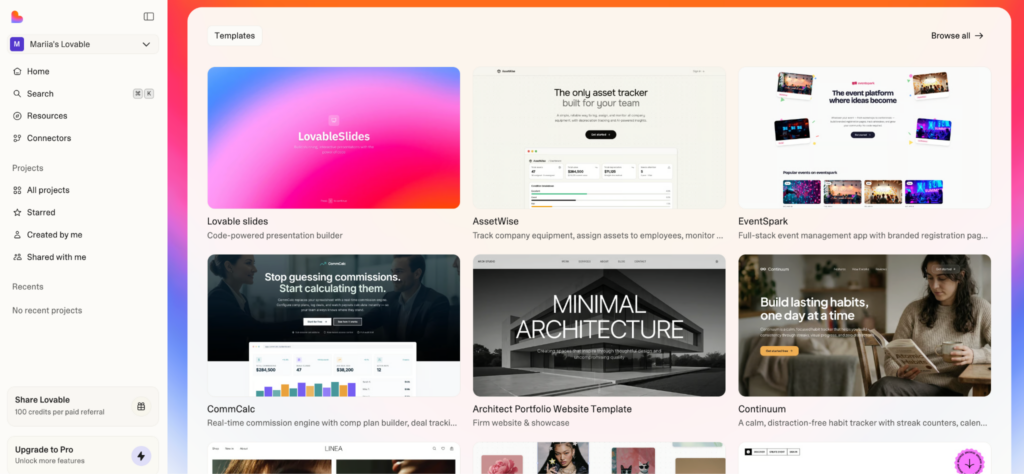
Source: Lovable website
V0 by Vercel
Generates React UI components from text or image prompts. Tightly integrated with the Vercel deployment ecosystem. The solution quickly produces frontend prototypes or production-ready UI components that a developer then wires up to a real backend.
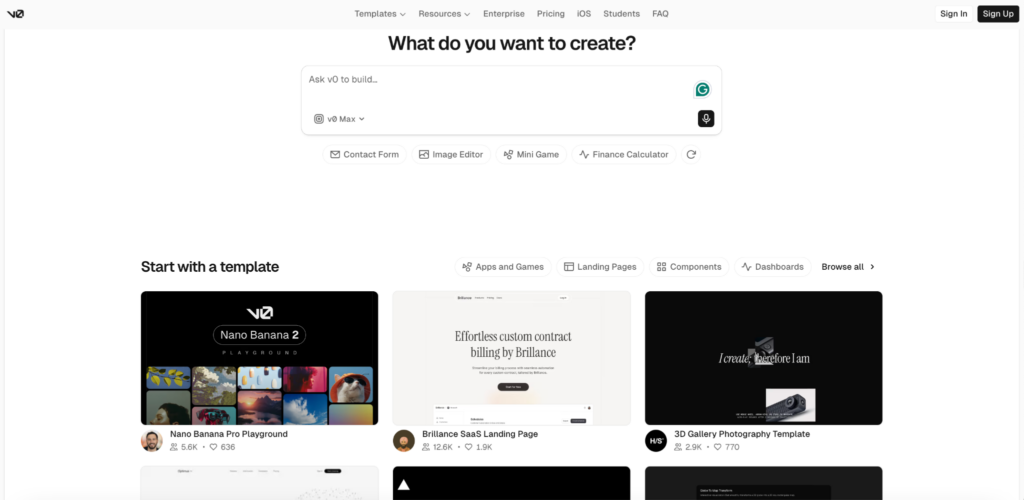
Source: V0 website
Retool
Low-code, high-ranking platform for building internal tools and dashboards. Connects to databases, APIs, and third-party services through a visual interface. Works perfectly for operations teams that need admin panels, CRM-adjacent tools, or data dashboards without a full development cycle.
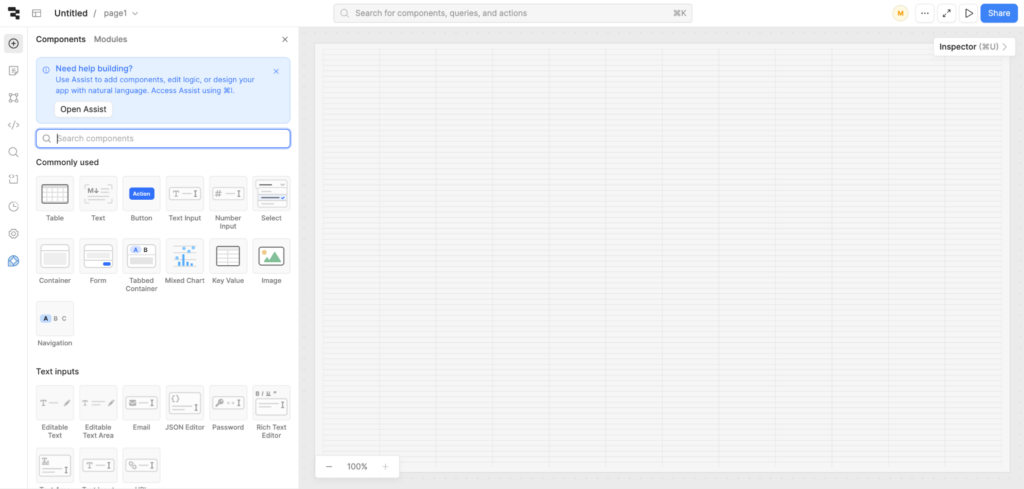
Source: Retool website
Who to hire for this layer:
Simply say—no one, you can do everything on your own. Visual builders have a low entry level and a learning curve. In startups, they are widely used by product managers, technical founders, and other no-code specialists, such as marketers. All you need is understanding user behavior.
No-Code and Low-Code Platforms
No-code has matured. For the right use case, it’s a legitimate production choice—not a shortcut that creates debt. The key is knowing which use cases those are.
A no-code approach is the right call for landing pages, marketing sites, new-business e-commerce storefronts for initial validation, internal dashboards, and simple web apps with standard workflows.
But the same solutions break down if you need custom API integrations with complex logic, real-time features (live updates, collaborative editing), architectures that need to scale beyond the platform’s infrastructure, complex UX design, or anything where the data model outgrows the visual database.
For websites (landing pages, blogs, marketing sites):
Webflow
The most powerful no-code website builder for design-quality results. It supports CMS, e-commerce, and custom interactions. Strong choice for marketing sites and landing pages that need to look serious. Disadvantage—steep learning curve. However, its ceiling for opportunities in no-code architecture is high.
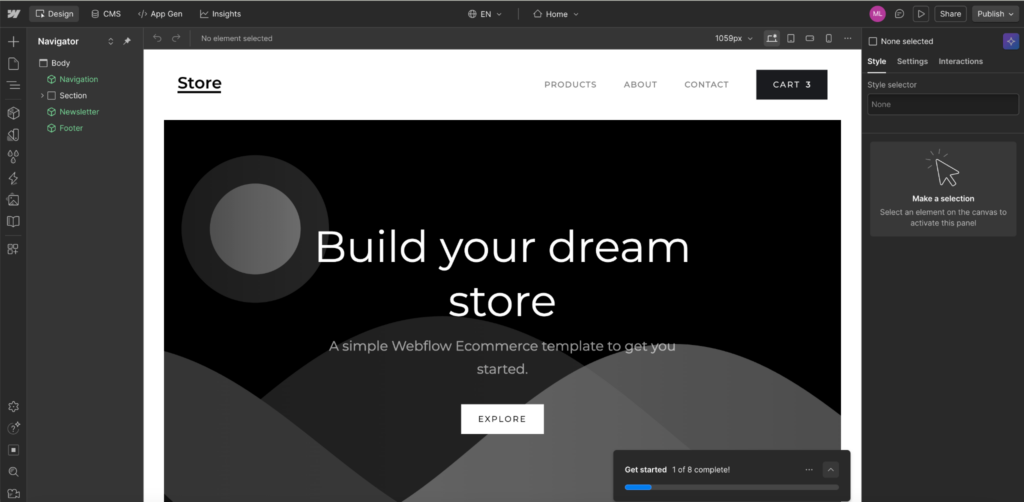
Source: Webflow website
Framer
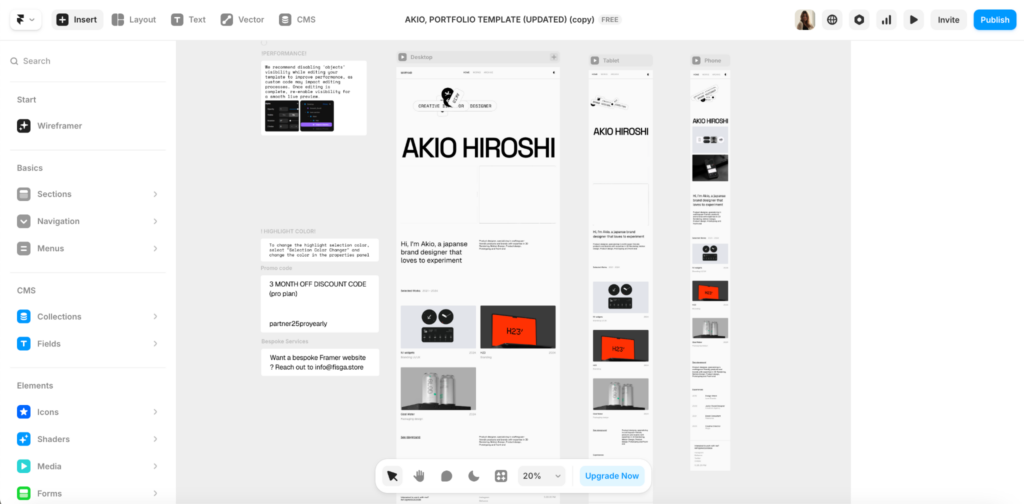
It is a designer-oriented tool, excellent for high-quality landing pages and portfolio sites. Strong component system. Unfortunately, it is less powerful for content-heavy sites, but it excels in visual quality.
Source: Framer website
WordPress
Still powers ~43% of the web (claimed by themselves). A vast plugin ecosystem, including WooCommerce for e-commerce, is well-documented and supported by an enormous developer community. The right call for content-heavy sites, blogs, and when you need a CMS with flexibility. Yet you need to watch out for plugin bloat that affects load times and SEO.
For web applications and e-commerce:
Bubble
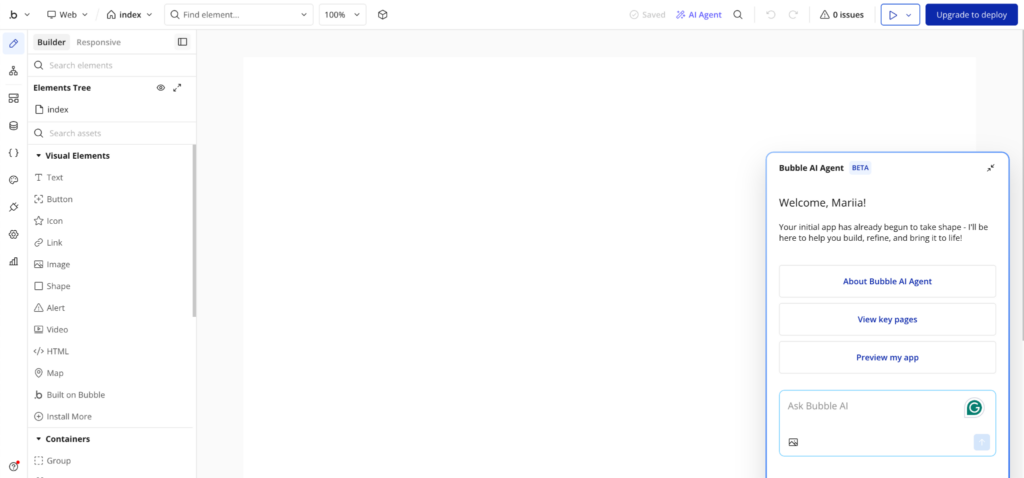
The most capable no-code tool for building actual web applications: user authentication, databases, workflows, and API integrations. Can take a SaaS idea to paying customers without a line of traditional code. Performance and scalability limitations emerge at significant user volume.
Source: Bubble website
Shopify
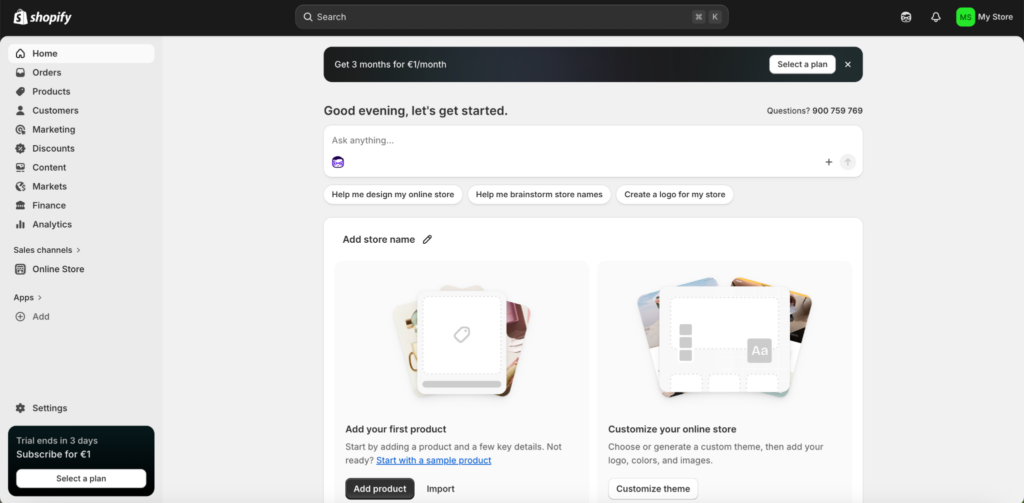
The category standard for e-commerce. Handles payments, inventory, shipping, and storefront design. For early-stage DTC validation, it’s almost always the right call before building a custom solution.
Source: Shopify website
Super.so
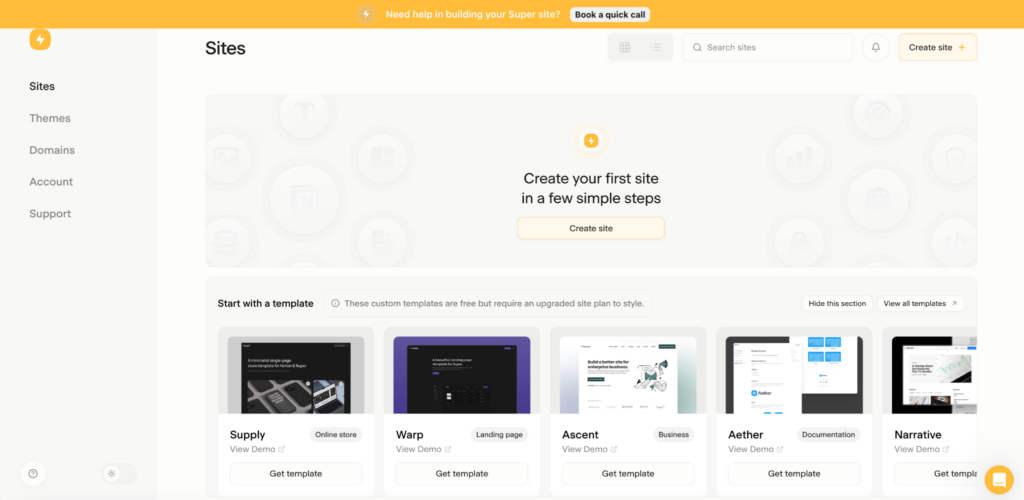
In brief, Super turns Notion pages into websites. It enables you to customize designs, use custom domains, and add security features (SSL) to Notion-based content. The tool is extremely fast to set up. Best for documentation sites, simple company pages, and personal projects—not for complex products.
Source: Super website
Pro tip: A model that combines several approaches is often the right answer to a no-code limitation. For example, Webflow or Framer for the frontend with a custom backend built in Node.js or Laravel, connected via API, and deployed on AWS. You get design speed without the scalability ceiling.
Who to hire for this layer:
AI-Assisted Coding
This is where most serious startup development happens in 2026. Nobody writes code entirely by hand anymore—not because they can’t, but because it would be irrationally slow.
What should you expect from AI-assisted coding now? AI excels at the mechanical layers of software development—boilerplate, repetitive frontend and backend patterns, test generation, documentation, and translating clear requirements into clean, readable code.
The work that still demands a senior developer is everything requiring judgment:
- Architecture decisions;
- API design;
- Security;
- Performance tuning under real load;
- Debugging complex race conditions.
Ultimately, AI accelerates execution, but it can’t replace the business context and hard-won intuition that determine whether the right thing is being built in the first place. More in this topic—AI Engineers: Who They Are & Whom You Need.
The leading AI coding tools of 2026:
Claude Code
Anthropic’s agentic coding tool. Runs in terminal, understands entire codebases, and can perform multi-file refactoring, architectural tasks, and complex debugging. Powered by Claude Opus—currently considered the strongest model for coding complexity and nuance.
This tool is preferred by senior developers for tasks requiring genuine reasoning about code structure and business logic.
Cursor
An AI-native code editor built on VS Code. Supports multiple models. Has a developer-oriented interface with strong codebase-awareness. It is the most popular AI IDE—Artificial Intelligence Integrated Development Environment—among professional developers in 2026, with a large and active community.
OpenAI Codex & ChatGPT
OpenAI has a broad user base and competitive performance on standard coding tasks. It is also extremely user-friendly for developers new to AI-assisted workflows. Works well for boilerplate generation and explaining code.
GitHub Copilot is worth a mention as the tool that normalized AI coding assistance, but it’s no longer the leading choice—Cursor and Claude Code have largely displaced it among developers who care about output quality and depth of context.
Who to hire for this layer:
Backend Frameworks
You don’t need a backend specialist for every project. A capable full-stack developer can handle backend work for most startup web applications. What matters is choosing a backend approach that fits your product’s complexity and your team’s strengths.
Node.js
It is JavaScript on the server. Strong choice for API-heavy applications, real-time features (using WebSockets), and teams already using JavaScript on the frontend. Large ecosystem, excellent for microservices, and easy to hire for.
Python (Django / FastAPI)
Python’s readability and the speed of Django or FastAPI make this the fastest path to a functional MVP backend. FastAPI in particular is excellent for API development and has become a popular choice for AI-integrated products. Strong hire pool.
Ruby on Rails
It is minimalistic and extraordinarily productive for most web dev cases. The Gems ecosystem provides ready-made solutions for almost every common need. And everything is well-documented with a strong, loyal community. Historically, the MVP framework has been the choice of choice for a reason; it still earns that reputation. Fewer developers specialize in it now, but those who do are usually strong engineers.
PHP / Laravel
PHP is not going anywhere. Laravel, its modern framework, is clean, well-structured, and has an active ecosystem. Strong choice for teams with PHP experience and for projects where WordPress integration matters.
The honest recommendation: For most startup web development cases, Node.js or Python/Django is the default—large hiring pools, strong AI tooling support, and well-understood at scale. Rails is worth considering if you find a developer who knows it well, and speed-to-MVP is the priority.
Frontend Development [Just Use React and Tailwind]
In our opinion, frontend has a clear default in 2026—React paired with Tailwind CSS. And here’s how it works.
React dominates the hiring pool, has the deepest ecosystem of components and templates (many free), and is well-supported by AI coding tools—Claude Code and Cursor both generate React fluently.
For server-rendered and SEO-critical applications, Next.js (built on React) is the standard choice. It handles mobile-first rendering and server-side SEO requirements out of the box.
Tailwind CSS is the utility-first CSS framework that has largely replaced custom CSS for new projects. Template-based, composable, and has an active community generating components and design systems. It dramatically reduces the time between “I want this to look like X” and “this looks like X.”
Vue.js is a notable React alternative—lighter, with a gentler learning curve. Solid choice for smaller teams or founders who want frontend flexibility without React’s ecosystem weight. Less AI tooling support than React, smaller hiring pool.
Who to hire on Lemon.io for this layer:
Databases for Web Developers
PostgreSQL
Our opinionated recommendation for most startups. Reliable, scalable, battle-tested, and supported everywhere. If you don’t have a strong reason to use something else, use PostgreSQL.
Firebase
Google’s real-time database and backend-as-a-service. Best suited for mobile-first applications. Its real-time capabilities are excellent; its querying flexibility is limited compared to a relational database.
Supabase
Supabase wraps PostgreSQL with a real-time layer, authentication, storage, and a dashboard. Think of it as a low-code database layer—most commonly used as a hosted database with extra tooling in a backend-as-a-service (BaaS) format. It’s an excellent starting point for early-stage products, though capacity limits can surface at significant scale.
Cloud Infrastructure
AWS
AWS is the default for startups that need serious infrastructure—comprehensive services, excellent documentation, and unmatched capability despite a steep learning curve. Worth knowing: AWS offers up to $100k in startup credits through its Activate program, with the higher tiers unlocked if you’re affiliated with a qualifying accelerator like Y Combinator or Techstars, or a recognized VC firm.
Google Cloud
Competitive with AWS, strong for AI and ML workloads, given Google’s infrastructure advantages.
Microsoft Azure
Enterprise-oriented. Not the most natural fit for early-stage startups without existing Microsoft ecosystem relationships.
For the technically confident and budget-conscious: Hetzner and Vultr offer unmanaged hosting at a fraction of cloud pricing. Fast, cheap, and excellent for startups with engineers who know how to set up and maintain servers. Not beginner-friendly—but a real option if you have the technical capacity.
How AI Changed What “Good Developer” Means
The skills that matter for developers have shifted more in the past two years than in the previous decade. Understanding this shift is critical before you write a job description or evaluate a candidate.
Good web development services and roles have moved from execution to orchestration.
The most valuable developers in 2026 are not necessarily the fastest typists or the most encyclopedic about syntax. They’re the engineers who can design systems, direct AI tools to produce quality output, review and refactor what comes back, and make decisions that account for business impact.
What strong developers are valuable for startups do now:
- Understand target audience needs and business goals while making tech decisions;
- Design data models and system architecture—the blueprint that determines whether your product can scale;
- Define security posture and review AI-generated code for vulnerabilities (AI code can introduce subtle security flaws);
- Assemble and integrate services and APIs rather than building everything from scratch;
- Make product-focused decisions about infrastructure, vendor choice, and long-term tech vision;
- Iterate through continuous deployment rather than big-bang releases.
So, what to look for in a developer in 2026?
Technical skills
Proficiency in the relevant languages and frameworks. Hands-on experience with AI coding tools (not just awareness—real workflow integration). Ability to design APIs, manage databases, and reason about system architecture. Experience with cloud infrastructure.
Product thinking
The ability to translate business goals into technical decisions. A developer who asks “why are we building this?” before asking “how do I build this?” is worth more than one who doesn’t.
Communication
Can they explain an architecture decision to a non-technical founder? Can they push back on a bad requirement constructively? Remote-first communication discipline—async documentation, clear updates, time-zone awareness, and respect.
Red flags are candidates who generate code with AI but can’t explain what it does, those who reach for complex solutions when simple ones work, and those who can’t articulate the business impact of a technical decision.
The “AI-augmented senior” is now the baseline, not a premium. When evaluating candidates, expect fluency with tools like Claude Code, Cursor, or Codex to be table stakes—the same way Git familiarity was ten years ago. If vetting that yourself sounds like a time sink, Lemon.io’s pool of pre-vetted developers can do everything for you. As a result, in 24 hours, you get 1–3 highly relevant pros to choose from.
More on this topic here: Founder’s Guide to Hiring Software Developers in the 2026 AI Surge [pro tips].
How the Startup Dev Team Structure Changed
Five years ago, a web product typically required: a frontend developer, a backend developer, a DevOps engineer, and a QA specialist. For a well-resourced startup, this was the minimum viable team.
In 2026, that structure was compressed.
You need mostly the AI-multiplied developer—a strong senior full-stack developer with AI tooling now produces output that previously required two or three specialists. This isn’t theoretical—it’s what founders consistently report from working with developers who use AI coding tools fluently in their workflow.
The modern early-stage team:
- One senior full-stack generalist who can lay the architectural foundation, make tech stack decisions, integrate APIs and services, and move fast without creating debt.
- Add mid-level specialists (frontend or backend) as the product grows and specific bottlenecks emerge.
By finding the vetted engineers for both roles—a full-stack AI-assisted developer and a frontend or backend developer—Lemon.io can help you right away.
The DevOps role is now partly distributed. Senior developers are expected to understand deployment pipelines, containerization (Docker, Kubernetes), and CI/CD processes. GitHub Actions and similar tools make basic DevOps accessible to developers who are primarily product-focused.
Dedicated DevOps expertise is still valuable—but the minimum threshold for a senior dev to handle their own deployments is lower than it was.
Want to master effective team management? Read our blog article on this topic: Lower Costs, Higher Output: How to Manage Remote Developers in 2026.
What’s Next? Let’s Build Your Website or Web App!
Everything about web development estimation and tooling has changed faster than most startup advice accounts for. As we can see in Lemon.io, there’s genuine FOMO among founders right now—about AI tools, tech stack choices, and whether they’re being outpaced by competitors building x10 faster with better tools.
The honest answer: the tools have gotten dramatically better; the fundamentals haven’t changed. You still need to build the right thing, with quality people, at a sustainable pace relative to your runway.
As a marketplace for vetted web developers, at Lemon.io, we respond to this need in three ways:
- Speed. Lemon.io’s clients often receive a shortlist of pre-vetted, matched candidates within 24 hours.
- Live technical tasks. Our vetting process includes real work, and the tasks change as requirements rise, as tools perform well and are adopted by top companies. So you always get dedicated senior developers who navigate the newest toolset.
- Context. We study what you’re building, your tech stack, and your stage—and advise on the best approach (and developers with the relevant skill set) before we start matching.
If you’re not sure which developer you need, that’s a fine starting point. The Lemon.io matching team will gather your product goals and translate them into candidate requirements to share the most relevant, technically vetted web developers.